Lowe’s Home Improvement | Senior Content Designer
At Lowe’s, I shape the content strategy behind the tools and systems used by store associates, employees, and advertising partners. I design language frameworks that make complex retail operations simple, intuitive, and scalable — using structure, standards, and information architecture to support the people who power Lowe’s.
My work spans content mapping, user flows, personas, taxonomies, and UX writing guidelines that drive clarity, influence product design, and align teams around shared language. As part of the UX organization, I collaborate with product, engineering, visual design, and marketing to build accessible, human-centered systems that work at enterprise scale.
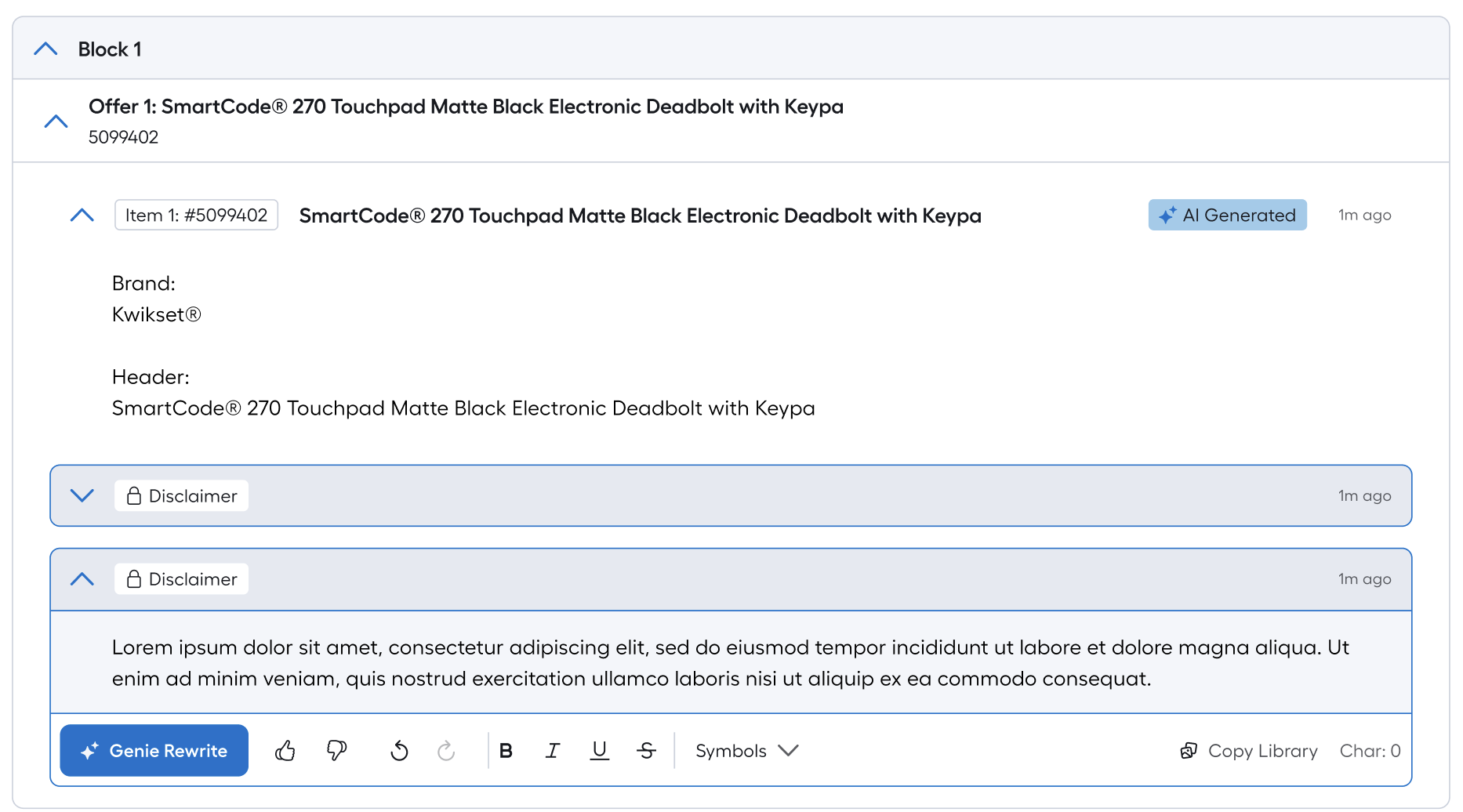
AI-Generated, Pre-Approved Copy—At Scale
Over the past year, we delivered significant enhancements to Genie, Lowe’s internal system for building print and digital retail ads that feature complex promotional offers (for example, buy three bags of soil, get one free).
Genie functions much like Figma for advertising. Marketing associates use it to assemble the structural framework for ads, which are then handed off to external agencies for layout and production before being published across print and digital channels.
As the team scaled down, a critical challenge emerged:
there were no longer dedicated copywriters to manually write or search for product and promotional copy. Associates were spending hours—sometimes an entire workday—searching legacy copy libraries to find legally approved language.
To solve this, we built an AI-powered copy model trained on every piece of previously approved product and ad copy within our copy library.
The model:
Generates legally approved copy sourced directly from existing content
Eliminates the need for manual library searches
Allows users to shorten, adjust, and refine copy—similar to ChatGPT—without introducing compliance risk
Integrates directly into the Genie workflow, keeping speed and governance intact
This shift transformed Genie from a static assembly tool into an intelligent content system, enabling faster ad creation, reducing operational bottlenecks, and allowing a smaller team to produce high-quality, compliant ads at scale.
Building Boomerang: Automating Point Booster Setup to Unlock Loyalty Growth
Lowe’s loyalty growth wasn’t driven just by stronger rewards — it accelerated because we removed the manual work slowing them down. A major catalyst was Boomerang, an automation system I helped build to streamline appeasements and loyalty setup tasks like Point Boosters.
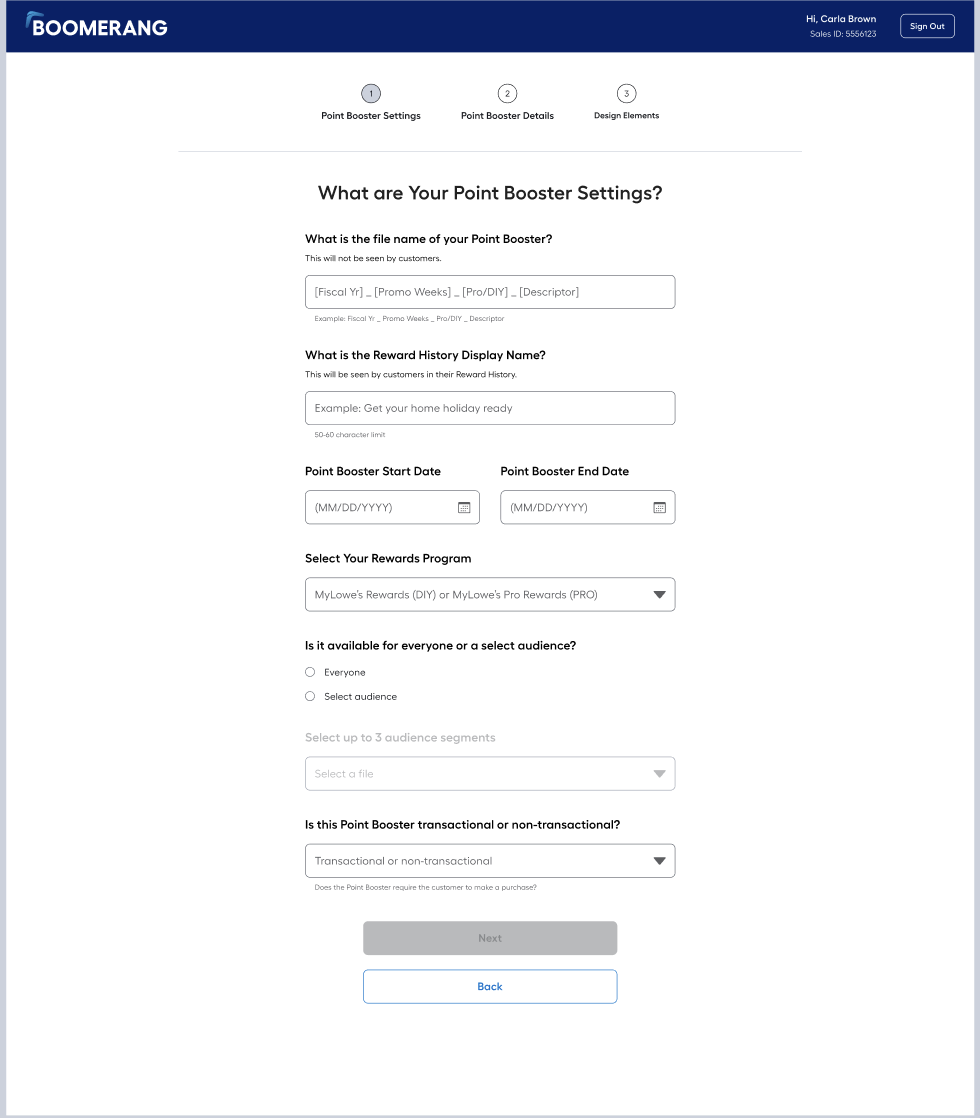
Before Boomerang, Point Boosters were built through a detailed spreadsheet that Marketing Associates emailed to Engineering for manual setup. The process was error-prone, required multiple review cycles, and often took two business weeks — delaying launches and tying up engineers with repetitive operational work.
Working with Design and Testing, I turned that spreadsheet into a wizard-style workflow with clear logic steps (background info → design attributes → functional rules → review/confirmation). By standardizing inputs and simplifying decision pathways, we cut setup time and eliminated most tech dependency.
The impact was immediate:
Setup shrank from two weeks to two business days using Boomerang’s MVP.
93% of Point Booster setups became fully automated — only 2 of 34 needed tech support.
Backlogs of ~400+ requests were cleared in a single week.
The DCOR team now handles 10–20 appeasements per week independently with no engineering required.
As the tool scaled, faster setup directly supported major loyalty gains:
DIY active members increased to 28.5M (up from 14.6M in Q1)
Pro active membership exceeded goal: 4.2M vs. 3.9M target
Pro rewards redemption reached 95.4%
Penetration climbed: Pro 81.1%, DIY 47.8%
Boomerang didn’t just automate a workflow — it unlocked loyalty growth by making incentives faster and easier to launch at scale. Turning a spreadsheet into a UX-driven system transformed a costly bottleneck into a competitive advantage.
Redesigning the Rewards Success Moment to Drive Immediate Engagement
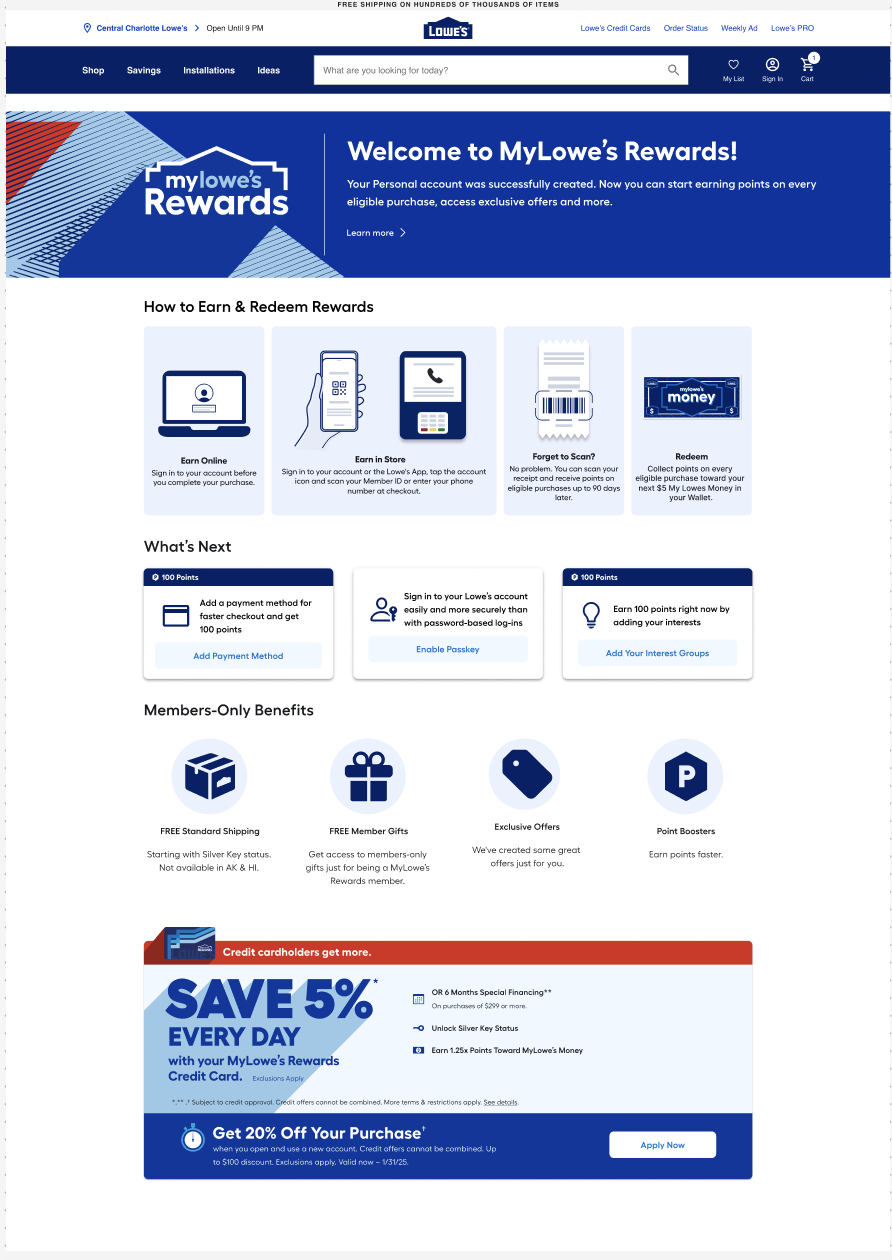
When customers finished enrolling in MyLowe’s Rewards, they landed on a screen that simply said thank you—no next steps, no earning guidance, no incentive to keep engaging. Without an onboarding path, new members had no direction for how to start using their benefits, and many failed to complete important account setup steps.
To fix this, I led competitive analysis and best-practice research to inform a redesigned success screen that would serve as a true onboarding moment. Using card-sorting and prioritization exercises, we tested what users most wanted to know immediately after joining, and how they ranked tasks like adding a payment method, setting up passkey login, or selecting interests.
The insight was clear: users care most about how to earn and use points. When that understanding comes first, they’re much more likely to finish secondary actions that unlock deeper benefits. Best-practice benchmarks (e.g., Starbucks, Delta, Sephora) further showed that the success moment is the peak time to drive additional engagement while enthusiasm is highest.
The final design introduces:
Primary education on earning and redeeming points
Actionable next steps users can complete immediately
Direct pathway to their Rewards dashboard
Contextual benefits (like point boosters) surfaced early
By transforming a static “thank you” into a guided onboarding experience, we turned enrollment from a finish line into the first meaningful moment of engagement.
Clarifying “Scan to Pay” for Better Understanding of How Rewards Are Earned
During early adoption of MyLowe’s Rewards, users didn’t understand how rewards were earned in store. Many believed rewards required a separate action, or they assumed scanning was only for redemption. Ambiguous phrasing like “Scan Member ID” made it unclear whether scanning was for earning, redeeming, or just identifying who they were.
To resolve this, I led content strategy exploration across app, web, and in-store touchpoints. Research and card sorting showed that users understood rewards exist, but didn’t understand how they’re earned as part of checkout. The confusion wasn’t about the program—it was about the purpose of scanning.
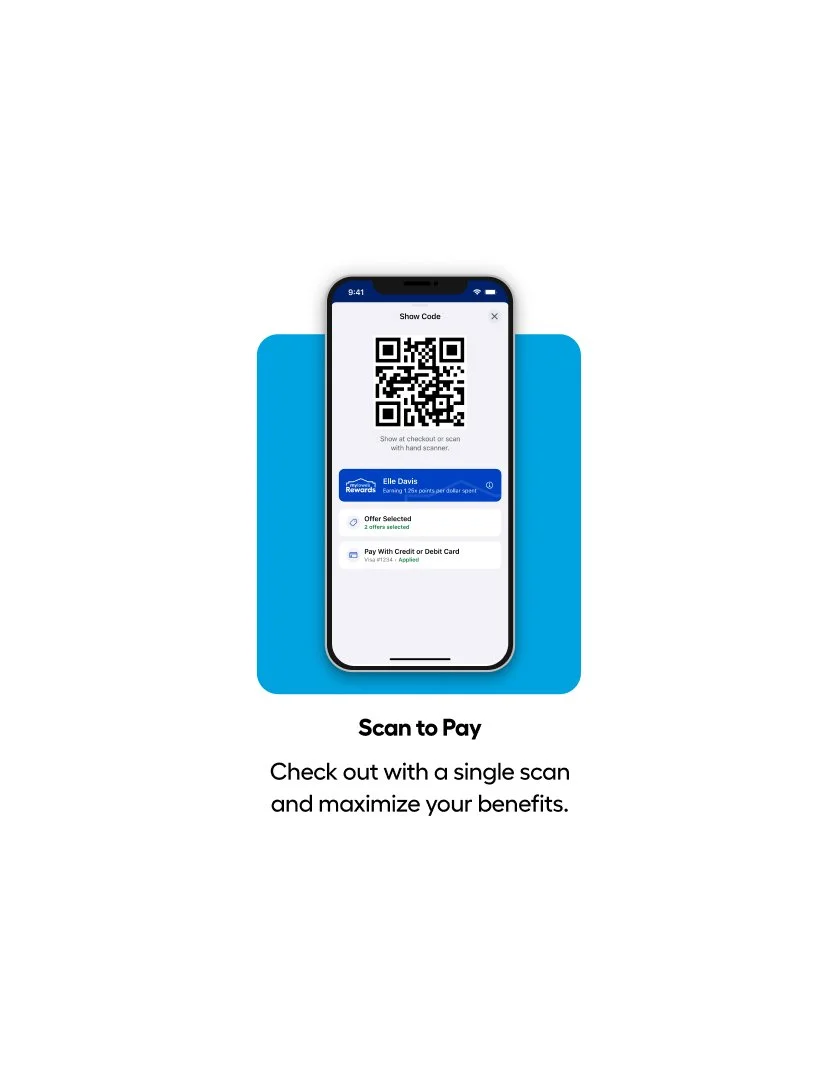
We repositioned scanning as part of payment, not earning. Earning happens automatically after you pay—so we anchored the experience to the checkout action with the now-launched language:
Scan to Pay
Check out with a single scan and maximize your benefits.
This clarified three things instantly:
Earn = automatic.
Scan = part of checkout.
Benefits apply when you pay, not after.
By treating scanning as the way you pay, users finally understood how rewards work without needing extra explanation. This content decision shaped UI design, associate messaging, and the final onboarding experience.